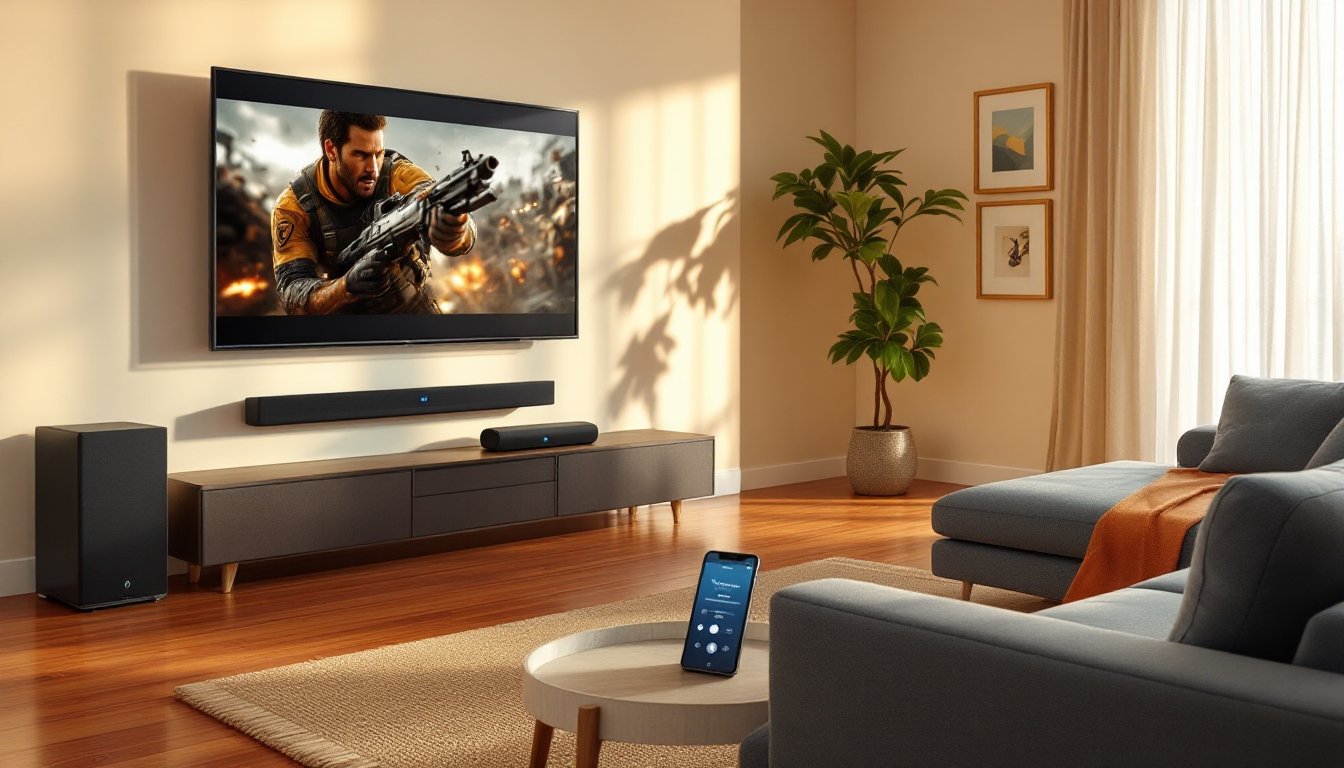
Cutting wires has never sounded better. Bluetooth home theater systems have evolved from convenience gadgets to legitimate audio solutions that deliver immersive sound without the cable clutter. Whether you’re retrofitting an older living room or setting up a media space from scratch, wireless theater audio eliminates the need to fish speaker wires through walls, drill through baseboards, or trip over cables every time you vacuum. But not all Bluetooth systems are created equal, choosing the wrong one can mean laggy dialogue sync, dropouts during action scenes, or underwhelming bass. This guide walks through what makes a Bluetooth home theater system worth the investment and how to set one up right.
Table of Contents
ToggleKey Takeaways
- A Bluetooth home theater system eliminates cable installation hassles by using wireless connections for speakers, allowing you to set up surround sound in under an hour without drilling walls or running wires through baseboards.
- Look for systems with aptX Low Latency codec support, HDMI ARC/eARC connectivity, and at least 300–500 watts RMS power output to ensure dialogue sync, minimal audio delay, and immersive sound quality.
- Proper placement of the center channel below the TV, rear speakers behind seating at ear level, and the subwoofer in a corner significantly improves audio performance and surround sound immersion.
- Interference from Wi-Fi routers and microwaves operating on the 2.4 GHz band is the primary cause of audio dropouts in Bluetooth home theater systems—switching Wi-Fi to 5 GHz reduces these issues.
- While Bluetooth home theater systems excel for renters and casual viewers seeking clean aesthetics and easy installation, traditional wired systems with separate amplifiers may better suit large dedicated rooms or audiophile requirements.
- Regular firmware updates, proper speaker placement, and managing room acoustics with soft furnishings help maintain your Bluetooth home theater system’s performance and longevity over time.
What Is a Bluetooth Home Theater System?
A Bluetooth home theater system is a multi-speaker audio setup that connects wirelessly to your TV, streaming device, or media player using Bluetooth technology. Unlike traditional wired systems that require running speaker wire from a receiver to each speaker location, Bluetooth systems communicate via short-range radio signals.
Most setups include a soundbar or AV receiver as the central hub, paired with wireless rear speakers and sometimes a separate wireless subwoofer. The soundbar handles the front soundstage (left, center, right channels), while rear satellites create surround effects. The subwoofer delivers low-frequency effects, explosions, rumbling engines, bass lines.
Key distinction: Some systems use proprietary wireless protocols rather than pure Bluetooth (like Sonos or certain Samsung models), but the term “Bluetooth home theater” generally refers to systems where at least the primary connection, TV to soundbar or receiver, uses Bluetooth pairing. Check specs carefully: true 5.1 or 7.1 surround over Bluetooth is rare due to bandwidth limits, so many systems simulate surround using virtual sound processing or use hybrid connections (HDMI ARC for main signal, Bluetooth for rear speakers).
Key Benefits of Going Wireless with Bluetooth
No wall fishing or conduit runs. This is the big one. Traditional surround sound means drilling holes, running cables through studs, and patching drywall if you move speakers. Bluetooth eliminates that entirely, especially valuable in finished rooms, apartments, or homes where you can’t (or don’t want to) open walls.
Faster installation. You can go from unboxing to watching a movie in under an hour. Plug in power for each speaker, pair them to the hub, and you’re done. No need to label 50 feet of speaker wire or figure out polarity.
Flexible speaker placement. Want to move the rear speakers back a few feet for better sound staging? Just unplug and relocate. Rearranging furniture doesn’t mean re-routing cables.
Cleaner aesthetics. No visible cables snaking along baseboards or under rugs. This matters if you’ve spent time on interior finishes or if you’re staging a home for sale.
Renters can install without losing deposits. Bluetooth systems are fully reversible. No holes, no permanent mounts (if you use stands instead of wall brackets), no risk of forfeiting a security deposit.
That said, Bluetooth isn’t perfect. Latency (audio delay) can be an issue with older codecs, and signal interference from Wi-Fi routers, microwaves, or neighboring devices can cause dropouts. Range is typically 30 feet max in open space, less through walls.
Essential Features to Look for When Shopping
Start with total power output, measured in watts RMS (not peak). A decent 5.1 system should deliver at least 300–500 watts RMS combined across all channels for a mid-sized room (12′ x 15′). Bigger rooms need more power: don’t rely on marketing claims of “1000W peak”, that’s mostly useless.
HDMI ARC or eARC support is critical. While the system uses Bluetooth for wireless speakers, the connection from your TV to the soundbar should ideally use HDMI ARC (Audio Return Channel) or eARC (enhanced ARC) for better audio bandwidth and fewer sync issues. eARC supports Dolby Atmos and DTS:X, which Bluetooth alone cannot handle due to bandwidth limits.
Look for dual connection modes: systems that accept both HDMI and Bluetooth input give you flexibility. Use HDMI for high-quality movie soundtracks and Bluetooth when streaming music from your phone.
Subwoofer size and placement options matter. A 10-inch or 12-inch driver in a ported enclosure will deliver more impactful bass than a compact 6-inch sealed unit. Wireless subs are a huge convenience, you can tuck them anywhere in the room without worrying about running a cable back to the receiver.
Check for wall-mount hardware included. Many soundbars and satellites ship with brackets: others require separate purchase. If mounting, verify stud spacing (typically 16 inches on center in most US residential framing) and use appropriate anchors for drywall if studs aren’t where you need them.
Audio Quality and Codec Support
Codec is the data compression method Bluetooth uses to transmit audio. Standard SBC (Subband Codec) is universal but lower quality. aptX and aptX Low Latency reduce audio delay and improve clarity, essential for dialogue sync. aptX HD pushes near-CD quality over Bluetooth.
AAC (Advanced Audio Codec) works well if you’re streaming from Apple devices. Some higher-end systems support LDAC, Sony’s codec that offers better-than-CD resolution but requires compatible source devices.
For home theater use, aptX Low Latency is the minimum you should accept. Latency above 40 milliseconds becomes noticeable, lips don’t match dialogue, and action sound effects feel delayed. Standard SBC can introduce 150–200ms lag, which ruins immersion.
Also consider Dolby Digital or DTS decoding. Even if the Bluetooth connection has limits, the soundbar itself should decode compressed surround formats from streaming apps (Netflix, Disney+, etc.). Systems labeled as home theater technology often include these decoders built-in.
Setting Up Your Bluetooth Home Theater: A Step-by-Step Guide
1. Plan speaker placement before unboxing. For a 5.1 system, the center channel goes directly below or above the TV, left and right fronts flank it at ear height (about 42 inches off the floor when seated), rear surrounds go behind the seating area at slightly above ear level, and the subwoofer can go anywhere, corner placement often boosts bass response due to boundary reinforcement.
2. Run power to each speaker location. Bluetooth eliminates speaker wire, but every active speaker still needs AC power. If outlets aren’t conveniently located, you may need to add receptacles or use heavy-duty extension cords rated for continuous use (14 AWG minimum for speakers drawing over 5 amps). Don’t daisy-chain power strips, it’s a fire risk and often violates NEC guidelines.
3. Connect the soundbar to your TV. Use an HDMI ARC cable (a standard high-speed HDMI works) from the TV’s ARC-labeled port to the soundbar’s ARC port. Enable ARC in your TV settings menu (often under Audio Output). If your TV lacks ARC, use optical (TOSLINK) cable as a fallback, it supports up to 5.1 surround but not Atmos.
4. Pair the wireless speakers. Most systems auto-pair on first power-up. If not, press the pairing button on the soundbar, then on each satellite speaker in sequence. Consult your manual for the exact button combo, some require holding the Bluetooth button for 5 seconds, others use a dedicated “pair” button on the back panel.
5. Pair your source devices. Put the soundbar in Bluetooth pairing mode and connect your phone, tablet, or laptop from their Bluetooth settings. Once paired, the system will remember the device for future connections.
6. Run calibration (if available). Higher-end systems include a setup mic and auto-calibration that measures room acoustics and adjusts speaker levels and delays. Follow the on-screen prompts, placing the mic at your primary seating position. Manual calibration involves playing test tones and adjusting each channel’s level using a sound meter app (aim for 75 dB SPL at the seating position).
7. Test with known content. Queue up a movie with a good surround mix, anything from the MCU or a nature documentary works. Listen for clean dialogue from the center, distinct directional effects from surrounds, and tight bass without rattling. Adjust crossover frequency (typically 80 Hz for most satellite/subwoofer combos) if bass sounds boomy or thin.
Safety note: When wall-mounting speakers or soundbars above seating areas, use toggle bolts or screw into studs. A falling soundbar from 6 feet can cause serious injury.
Common Installation Challenges and How to Solve Them
Audio dropouts or crackling. Usually caused by interference or weak signal. Move the soundbar and wireless speakers away from Wi-Fi routers, cordless phones, or microwaves, all operate in the crowded 2.4 GHz band that Bluetooth shares. If your router supports 5 GHz, switch your Wi-Fi devices to that band to reduce interference. Thick walls with metal studs or plaster over metal lath can block signals: try repositioning speakers or using Bluetooth range extenders (rare but available for some brands).
Dialogue out of sync with video. Check for audio delay settings in both the TV and soundbar menus. Many TVs add processing delay: soundbars often include a “lip sync” or “AV sync” adjustment (usually 0–200ms range). Increase delay in small increments (10–20ms) until dialogue matches on-screen action. If using an external streaming device (Roku, Apple TV), check its audio settings too, sometimes the source device is the culprit.
Subwoofer hum or buzz. This points to a ground loop, multiple devices plugged into different circuits creating a voltage difference. Try plugging all components into the same power strip or outlet. If that doesn’t work, a ground loop isolator (about $15) on the subwoofer’s input can eliminate the hum.
Rear speakers won’t pair. Power-cycle everything: unplug the soundbar and satellites for 30 seconds, plug the soundbar back in, let it fully boot, then power up one satellite at a time and re-initiate pairing. Factory reset may be needed if they still won’t connect, consult the manual for the button sequence (often holding power + volume down for 10 seconds).
Limited bass output. Subwoofer placement makes a huge difference. Corner placement can increase output by 6–9 dB due to boundary gain. The “subwoofer crawl” technique helps: place the sub in your seating position, play bass-heavy content, then crawl around the room’s perimeter listening for the spot with the best bass response, that’s where the sub should go.
Can’t wall-mount because studs aren’t aligned. Use a stud finder to locate framing. If studs don’t line up with your speaker’s mounting holes, you have three options: use heavy-duty drywall anchors rated for the speaker’s weight (check manufacturer specs, some soundbars weigh 15+ pounds), install a mounting board (a 1×6 or 1×8 screwed into studs that the speaker then mounts to), or use adjustable mounts with elongated holes for off-center stud spacing.
Maximizing Your System’s Performance and Longevity
Keep firmware updated. Manufacturers release updates that fix bugs, improve codec support, and reduce latency. Most systems update via Wi-Fi or USB, check the manufacturer’s support page every few months. Updates can add features like new streaming service integrations or smart home integration compatibility.
Clean speaker grilles regularly. Dust buildup on tweeters and woofers reduces output and clarity. Use a soft brush attachment on a vacuum or a microfiber cloth. Don’t use compressed air directly on drivers, it can push dust deeper or damage delicate components.
Optimize room acoustics. Bluetooth doesn’t fix bad room sound. Heavy curtains, area rugs, and upholstered furniture absorb reflections and tighten bass. Bare hardwood and large windows cause echo and muddy dialogue. You don’t need acoustic panels for casual viewing, but adding soft materials helps.
Manage power properly. Use a surge protector with at least 1000 joules rating to guard against voltage spikes. Don’t leave the system in standby 24/7 unless needed, it draws power and shortens component lifespan. Many soundbars include auto-sleep features that power down after 15 minutes of inactivity: enable it.
Adjust EQ for content type. Most systems include presets (Movie, Music, Night Mode). Movie mode boosts dialogue and adds dynamic range compression for big sound. Night mode reduces bass and loud peaks, useful in apartments or late-night viewing. Music mode flattens EQ for more neutral response. Experiment to find what works for your content mix.
Check connections semi-annually. Reseat HDMI and optical cables to prevent oxidation-related dropouts. Tighten any loose wall mounts, vibration over time can loosen screws.
Consider system limitations. Bluetooth home theater is excellent for most users, but audiophiles or those with dedicated home theater rooms may prefer wired systems with discrete amplification and higher-end speakers. According to reviews on Good Housekeeping, tested wireless systems perform well for everyday viewing but can’t match the dynamic range of separates in large spaces. Be realistic about your room size and expectations.
If you’re in a rental or want clean install without permanent changes, Bluetooth systems deliver solid performance with minimal hassle. Just choose components with the right codecs, plan power access, and manage interference sources, and you’ll get years of reliable wireless surround sound.